Google review reply generator.
Good, bad or in between.
Pick the star rating and add a few details. Get three replies you can edit and paste into your Google Business Profile. Nothing you type leaves your browser.
About the review
Three replies to choose from
Read it before you post, and make it sound like you. Don’t include invoice amounts, addresses or health details.
Next step, free
Get more reviews to reply to
Your direct Google review link, a QR code and a printable card, in under a minute.
How to post your reply
- Open your Business Profile on Google Search or Maps and choose Read reviews.
- Choose Reply under the review, paste your edited draft and post it.
- Google checks it, usually within about 10 minutes, and tells the reviewer you replied.
More examples and the rules for replies are in our guide to responding to Google reviews. Dealing with a fake review? See how to spot and report fake reviews.
Common questions
Is this an AI tool?
No. It builds replies from tried-and-tested templates, in your browser, using the details you enter. Nothing is sent anywhere. Always read the draft and make it sound like you before posting.
Should I reply to every Google review?
Yes, good and bad. Replies are public, and future customers read them as much as the reviews. Google notifies the reviewer when you reply.
What should I never put in a reply?
Private details: invoice amounts, addresses, health or legal information. Clinics and law firms shouldn’t even confirm the person was a client. Tick the “health or legal” box and the drafts leave the details out.
Can I offer a discount in my reply?
No. Google asks replies to be conversational, not promotional, and rewards for changing a review break Google’s rules.
The review looks fake. What do I do?
Reply calmly so customers see your side, then report it. Our guide on fake Google reviews explains how.
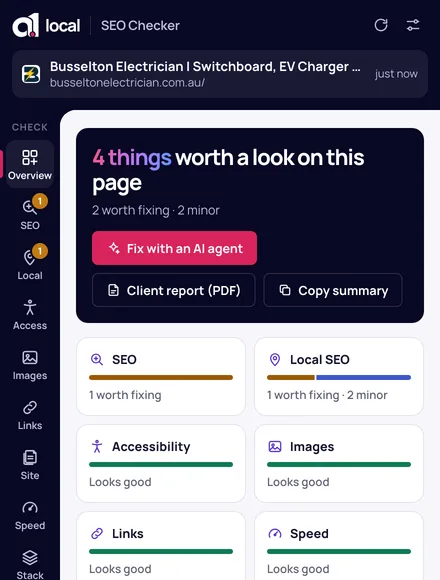
Free Chrome extension
Check any website as you browse.
On Google Maps, click the extension on a business to check its rating, review count and hours, and copy its review link.
Local SEO · Google Business Profiles · speed · accessibility · fixes for your AI agent