Free Google review card
with your own QR code.
Find your business, pick a headline and print. Customers scan the code with their phone camera and land straight on your Google review box. No designer, no NFC card, no cost.
Find your business on Google
Search by business name and suburb, or by phone number. We only need your public Google Maps listing. No sign-in.
Can’t see it? Try the phone number on the listing, or open the business in Google Maps, tap Share and paste the link here.
Not on Google Maps yet? We set up Google Business Profiles from A$249.See profile setup →
Your business
Local preview: this is fictional sample data, so the link below won’t open a real listing.
Opens your listing with the review box ready. Test it in a private window or on a phone that isn’t signed in as you.
Your review card
Customers point their phone camera at it and land on your review box.
Ask every customer, not just the happy ones, and don’t offer anything in return. That’s Google’s rule.
You have . See how many 5-star reviews you need for your target rating →
Place ID: What’s this?
Next step, free
Now see where you rank on Google Maps
Your position at 25 spots across your area, and who’s beating you. About a minute. Your business is already filled in.
Where review cards work best
- At the counter or reception. Where customers wait to pay or collect.
- On tables and in waiting rooms. Cafes, salons, clinics and showrooms.
- Left behind after a job. Trades can leave one with the invoice or on the fridge with a thank-you note.
- In the van or on the job site. Show it to the customer when you finish and say “we’d love a review”.
- In deliveries. Drop one in the box or bag with every order.
A card works best alongside a quick text with your link straight after the job. Get the link and ready-to-send wording from our review link generator, and set a goal with theGoogle reviews calculator.
Common questions
What size is the card?
One card prints at A6 (105 × 148 mm), a good size for a counter stand, a window or the inside of a van door. Tick “Print 4 cards per A4 sheet” to print four at once and cut them out.
Where should I print it?
Any home or office printer works. For a thicker card that stands up by itself, save it as a PDF from the print window and take it to a print shop, or pop it in a cheap acrylic sign holder.
Do I need an NFC review card or stand?
No. NFC cards and stands open the same review link when a customer taps their phone. They look smart, but a printed QR code does the same job for free, and every phone camera can read it.
Will the QR code keep working?
Yes, as long as your Google listing does. It opens your review box using your listing’s Place ID. If you move, rebrand or Google merges your listing, come back and make a new card.
Can I add “Leave a review and get 10% off”?
No. Google doesn’t allow any reward for reviews, even small ones. Keep the card simple: a friendly line, the QR code and a thank you.
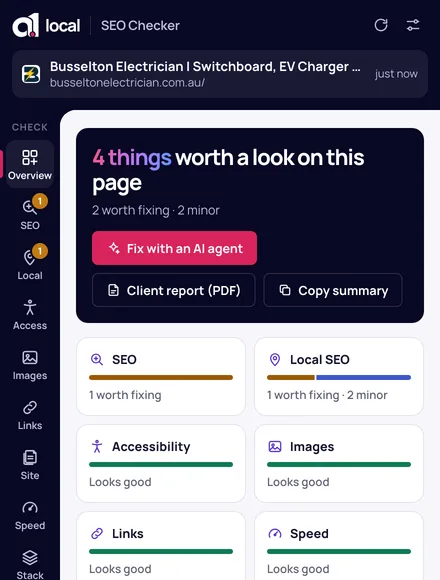
Free Chrome extension
Check any website as you browse.
On Google Maps, click the extension on any business to get its review link straight from the profile, ready for your next review card.
Local SEO · Google Business Profiles · speed · accessibility · fixes for your AI agent