What people search
for your service, near you.
Enter your service and suburb. See the real Google searches in your area each month, and what advertisers pay for a click, so you know which words to use and which rankings are worth chasing.
- Type your service
- Add your suburb
- See real monthly searches and click prices
What do people search for your service?
Enter what you do and where. We’ll show the searches people in your area really make on Google each month.
Use the word a customer would use, like “plumber”, “tile cleaning” or “physio”. Free, no sign-up.
Local preview: these are fictional sample numbers.
| What people search | Searches a month | Cost per ad click | Check your ranking |
|---|
What to do with this
Next step, free
See where you rank for these searches
Your Google Maps position at 25 spots across your area, and who’s beating you. About a minute.
Monthly searches and click prices are Google Ads estimates for , averaged over the last 12 months. Click prices are approximate, in Australian dollars.
Where do the search numbers come from?
From Google Ads, the same estimates advertisers use to plan campaigns. We ask for your area (for example Greater Perth or Bunbury), so the numbers reflect people searching near you, averaged over the last 12 months.
What does “cost per ad click” tell me?
It’s roughly what businesses pay Google each time someone clicks their ad for that search. A high price means the search brings in paying customers. Ranking in the free Google Maps results for it saves you that cost.
Why don’t I see my suburb’s name in many searches?
Most people search “plumber” or “plumber near me” and let Google work out where they are. That’s why your Google Maps ranking in each suburb matters more than stuffing suburb names into your website.
Where should I use these keywords?
In your Google Business Profile services list, your page headings and your service descriptions. Use the words customers use, naturally. One clear page per main service beats many thin pages.
Free Chrome extension
Check any website as you browse.
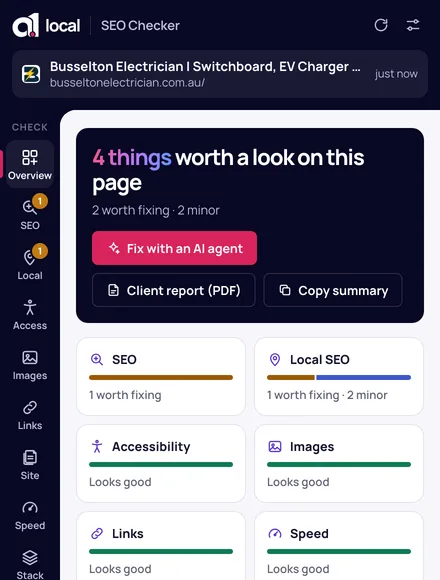
Found your keywords? Check each page uses them: the extension shows your title, headings and local SEO issues on any page, and what to fix first.
Local SEO · Google Business Profiles · speed · accessibility · fixes for your AI agent