Free Google review link
and QR code generator.
Find your business and get a link that opens your Google review box, a QR code for your counter and ready-to-send wording. Customers review you in one tap.
Find your business on Google
Search by business name and suburb, or by phone number. We only need your public Google Maps listing. No sign-in.
Can’t see it? Try the phone number on the listing, or open the business in Google Maps, tap Share and paste the link here.
Not on Google Maps yet? We set up Google Business Profiles from A$249.See profile setup →
Your business
Local preview: this is fictional sample data, so the link below won’t open a real listing.
Opens your listing with the review box ready. Test it in a private window or on a phone that isn’t signed in as you.
QR code
Customers point their phone camera at it and land on your review box.
Ask every customer, not just the happy ones, and don’t offer anything in return. That’s Google’s rule.
You have . See how many 5-star reviews you need for your target rating →
Place ID: What’s this?
Next step, free
Now see where you rank on Google Maps
Your position at 25 spots across your area, and who’s beating you. About a minute. Your business is already filled in.
Where to use your review link
- By text, straight after the job. The best time to ask is while they’re still happy with the work.
- On your counter. Print the card, stand it by the register or stick it on the window.
- On invoices, receipts and job cards. Add the QR code with a line like “Happy with our work?”
- In your email signature and on your website’s thank-you page.
More ideas in how to get more Google reviewsand how to find and share your review link.
Common questions
Is this my real Google review link?
Yes. It’s built from your listing’s Place ID, the ID Google uses for your business, so it opens the review box for your listing. Google’s own “Ask for reviews” button gives you a shorter g.page link. Both work, so use whichever you like.
Do I need to sign in or own the listing?
No. The link only uses your public Google Maps listing, so there’s nothing to sign in to. Reviews still go through Google, and customers need a Google account to leave one.
Will the link or QR code stop working?
Not usually. The link keeps working as long as your listing does. If you move, rebrand or Google merges your listing with another one, come back and get a fresh link and QR code.
Can I offer a discount for reviews?
No. Google doesn’t allow rewards for reviews, and it doesn’t allow asking only happy customers. Ask everyone, keep it simple, and reply to every review.
My business doesn’t show up. What now?
Try the phone number on your listing, or open your business in Google Maps, tap Share and paste the link. If you’re not on Google Maps yet, we can set up your Google Business Profile.
Free Chrome extension
Check any website as you browse.
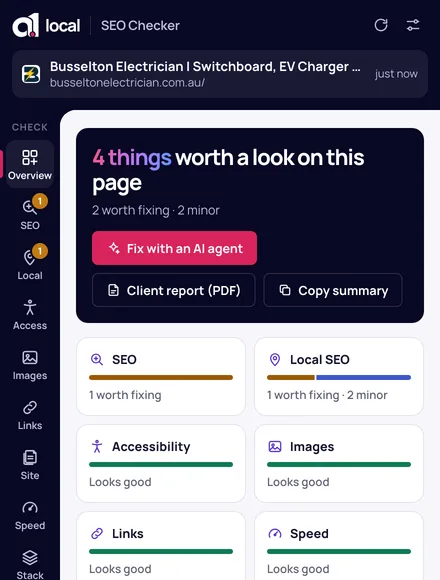
On Google Maps, click the extension on any business to get its review link straight from the profile. It also checks the profile’s hours, rating and reviews.
Local SEO · Google Business Profiles · speed · accessibility · fixes for your AI agent