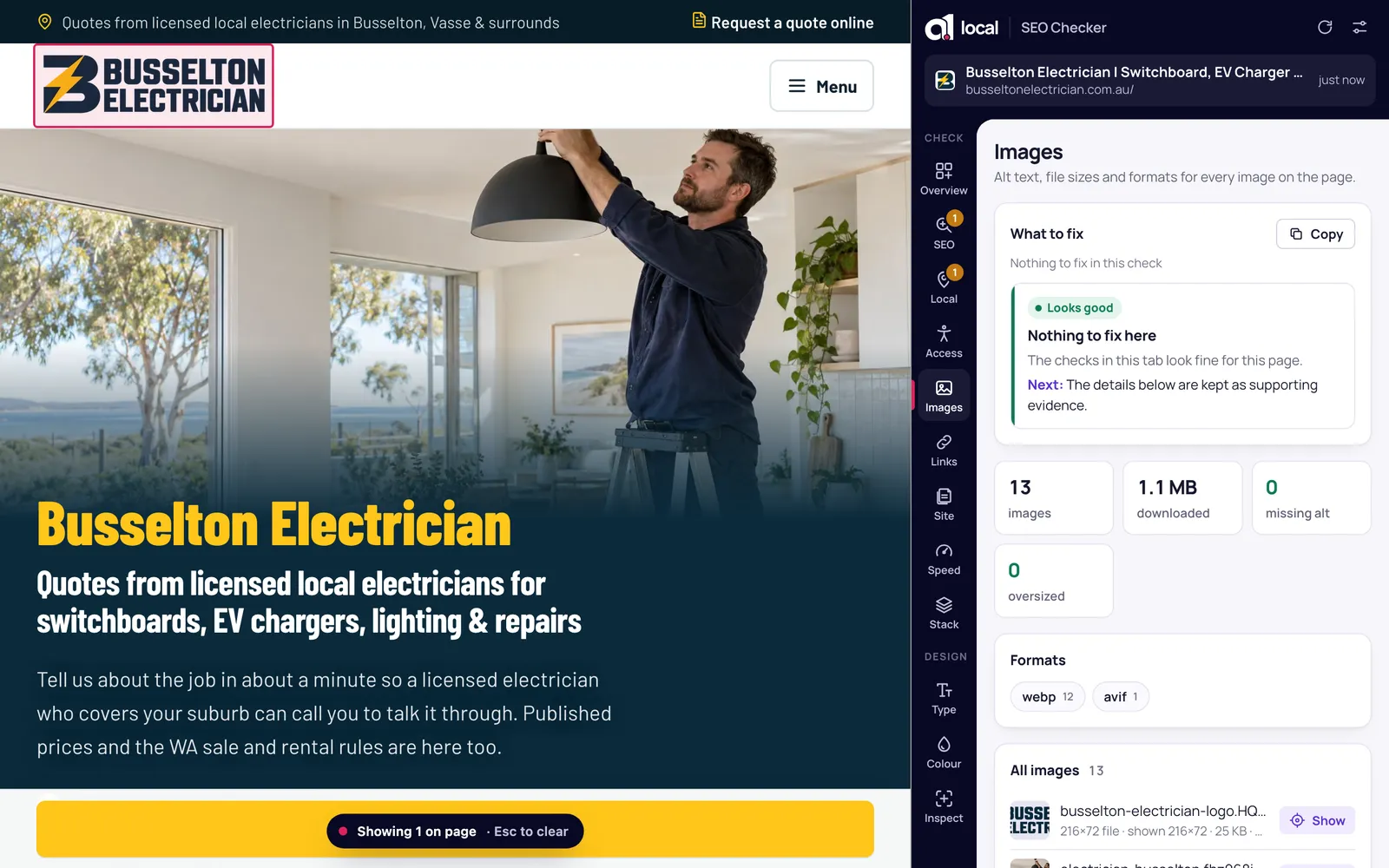
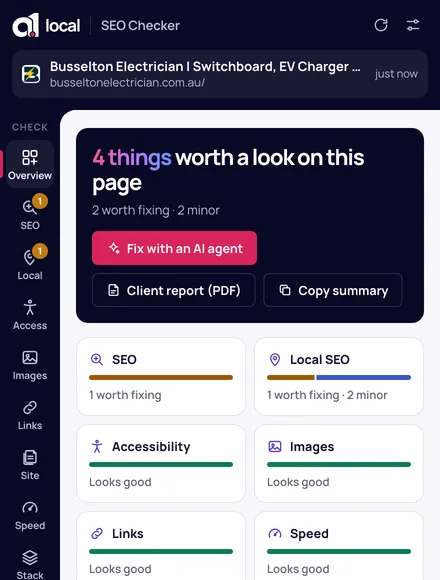
Click it on any website and it lists the problems with titles, headings, business details, images, links, accessibility and speed. Click a problem to highlight it on the page, or download the list as a fix brief for Claude Code or Cursor.
Click the icon on any website. It checks the title and description, headings, canonical and robots tags, business details, image sizes and alt text, links, accessibility and load speed, then lists the problems with the most important first. Each one says what’s wrong and how to fix it.
02 / Fix with an AI agent
Hand the fixes straight to your AI agent.
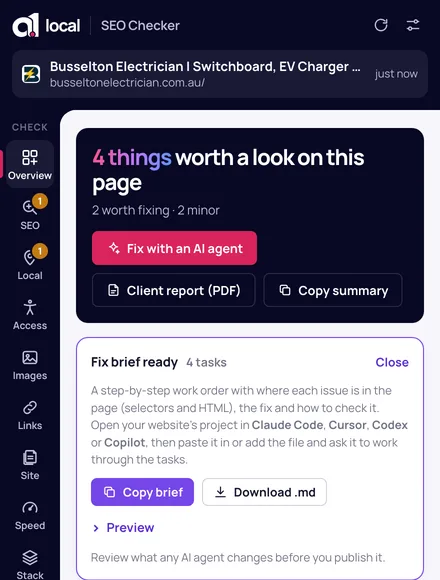
Download a step-by-step fix brief for Claude Code, Cursor, Codex or Copilot. It includes the exact element on the page, suggested code and how to check each fix. Prefer a person? Send the same brief to your developer, or make a branded PDF report for a client.
03 / Made for local businesses
Checks for local businesses.
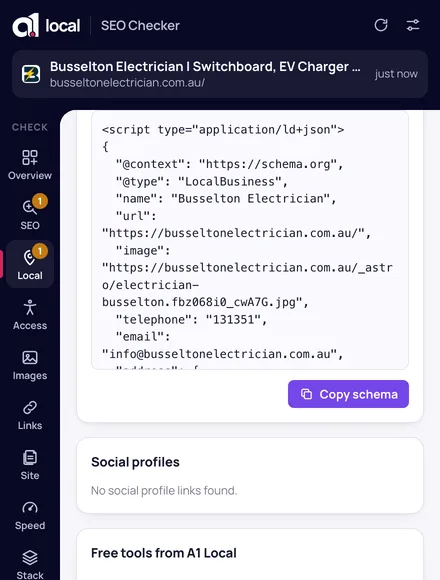
It checks your business details for Google, whether your phone number is tappable, your map and review links, and whether your suburb is in the title. Missing business schema? The generator fills it in from the page, ready to paste.
04 / Check the whole site
Fifty pages at once.
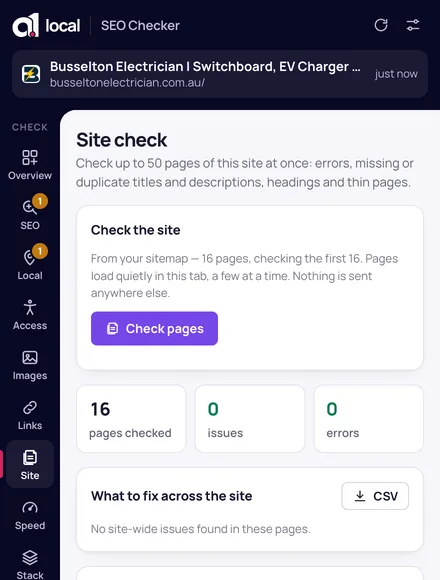
The site check reads up to 50 pages from your sitemap and flags errors, duplicate titles and descriptions, missing headings and thin pages. Export the lot to CSV.
More checks
Also in the side panel.
Google Business Profile
Open a business on Google Maps and click the icon. It checks the profile, gives you the direct review link and compares the phone and address with the website.
Show on page
One click highlights the exact element behind a finding, right on the page.
Crawling and AI search
robots.txt, your sitemap, HTTPS, and whether ChatGPT search and Perplexity can read the site.
Broken link checker
Tests links on the page you’re viewing for missing pages and server errors.
Speed
How quickly the main content appears and how much the layout jumps, from your own visit.
Design tools
A font finder, colour picker, contrast checker and a ruler for spacing.
Getting started
How to use it.
It works on any website, including your competitors’, and on Google Maps business pages.
01
Add it to Chrome
Then pin it from Chrome’s puzzle-piece menu so the icon stays in your toolbar.
02
Click it on any page
The side panel opens beside the page and checks it.
03
Fix it, or hand it off
Copy the fix, give the brief to your AI agent or developer, or send a client report.
It runs in your browser.
Every check runs on your computer. Page content, results and reports stay on your device and aren’t sent to A1 Local or anyone else. No account, no tracking. Read the extension privacy policy.
Common questions
Is it really free?
Yes. No account, no trial and no paid tier. It’s a free tool from A1 Local, like the others on this site.
Does it send my website’s data anywhere?
No. Every check runs in your browser, and page content, results and reports stay on your device. It only reads a tab after you click its icon, unless you choose to allow it on all sites.
What does it check?
Search basics (titles, descriptions, headings, canonical and robots), local business details and schema, accessibility, images, links, speed, the tech stack and, on Google Maps, the Business Profile you’re viewing.
How does “Fix with an AI agent” work?
It writes a Markdown brief with each issue, where it is on the page, suggested code and how to check it. Open your website’s project in an AI coding tool like Claude Code or Cursor, paste the brief in and ask it to work through the tasks. Always review the changes before you publish them.
Which browsers does it work in?
Google Chrome 116 or later, installed from the Chrome Web Store.
Is this the same as A1 Multitool?
Yes. A1 Multitool was renamed A1 Local SEO Checker and rebuilt. If you already have it, it updates automatically and keeps your settings.