

Where to make changes
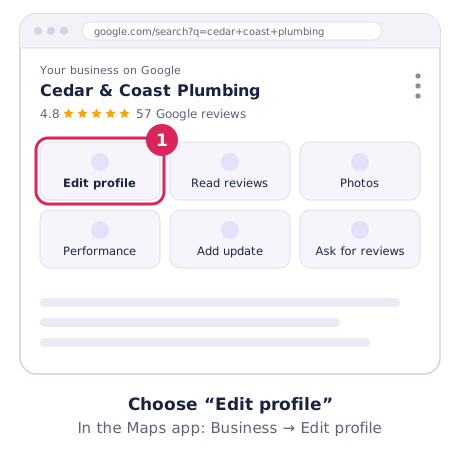
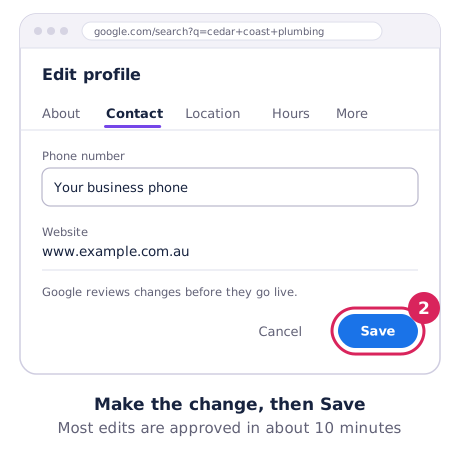
Sign in, open your profile on Google Search or Maps and choose Edit profile. In the Google Maps app, tap Business → Edit profile. Make the change and choose Save.
Google reviews changes before they go live. Most are approved within about 10 minutes, but some take up to 30 days. If a change is Not approved, you may be able to appeal. Google’s guide is Edit your Business Profile.
Business name
Use your real-world name, exactly as it appears on your sign, vehicle and paperwork. Google doesn’t allow extra keywords, suburbs, taglines, phone numbers or ALL CAPS. “Smith Plumbing”, not “Smith Plumbing – 24/7 Emergency Plumber Perth”.
Changing your name after verification may mean verifying again. If you’ve rebranded, update your signage first, so Google’s checks match.
Address and service area
- Moving? Update the address. Google will ask you to verify again at the new location. Don’t create a new profile. If the name stays the same, your reviews move with you. See moving, closing and removing.
- Stopped seeing customers at your address? Remove the address and add service areas instead (up to 20). Changes can take up to 48 hours to show.
Opening hours, holidays and closures
- Regular hours: Edit profile → Hours → Edit → Open with main hours. Use Add hours for split shifts, like closing for lunch.
- Special hours: for public holidays or events. Pick the date, set the times or tick Closed. They only show on those dates, so set them before every public holiday.
- More hours: separate times for things like deliveries or a kitchen that closes before the bar.
- Closed for more than a week: use Temporarily closed, and switch it back when you reopen.
Phone number and website
Use a number and website the business controls. Avoid call-tracking numbers that forward to a call centre, and links that redirect somewhere else. Both can cause problems with Google’s checks. Update your other listings at the same time so your details match everywhere (see Australian business directories).
Categories
You get one primary category and can add a few more. Google’s test is what your business is, not what it has: a cafe that has Wi-Fi is still a “Cafe”. Your primary category has a big effect on which searches you show up for, so change it carefully and only if it’s wrong. Google says adding or editing categories can trigger re-verification. More in how to choose your categories.
Watch for changes you didn’t make
Anyone can suggest edits to your listing, and Google sometimes updates details itself. When it does, you’ll see an alert in Edit profile. Check your profile every month or two and reject anything that’s wrong.
Edit slowly
Make one big change at a time (name, address, category or phone), and wait until it’s approved before the next. Lots of big edits in a short time is one of the most common reasons profiles get suspended.