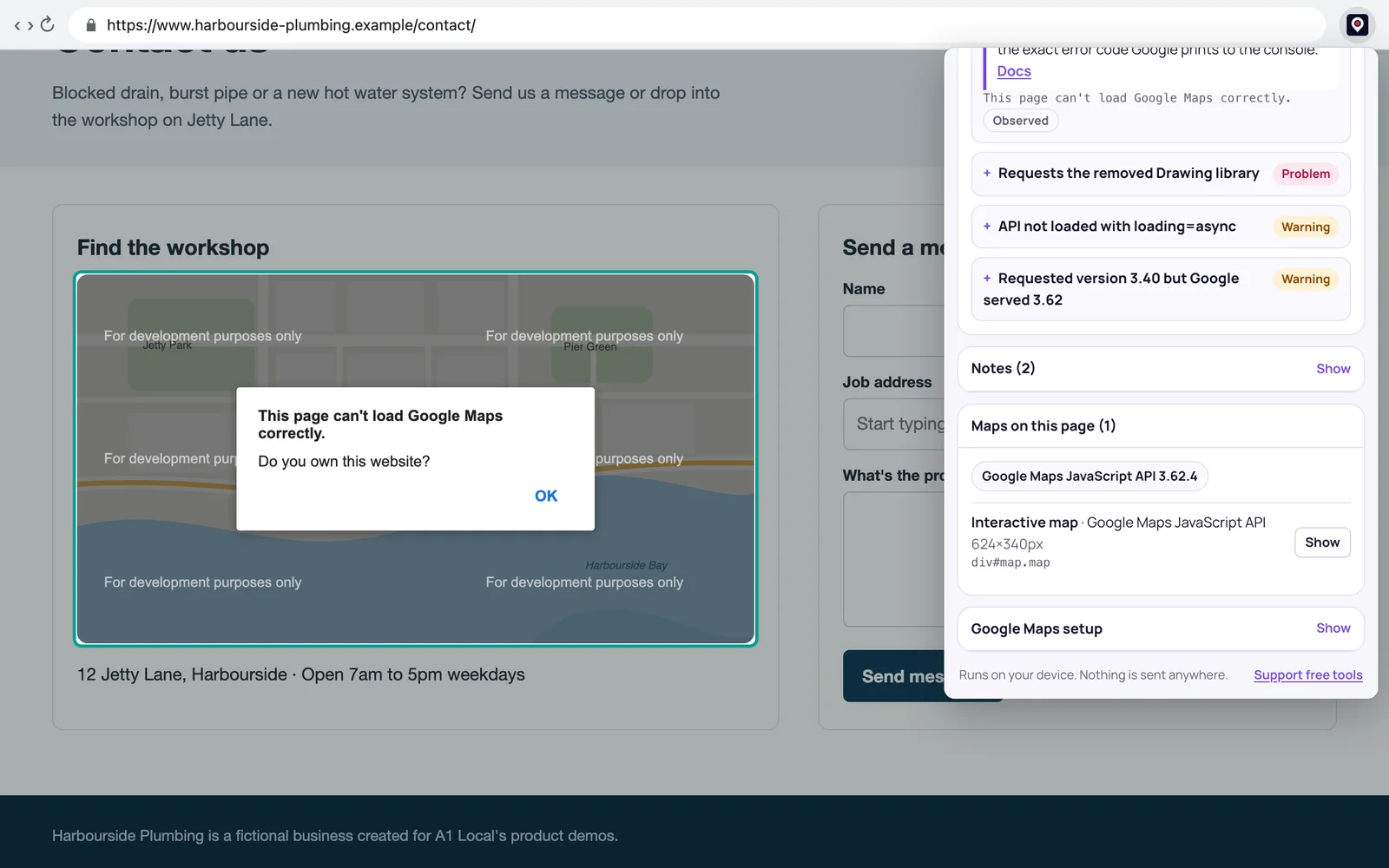
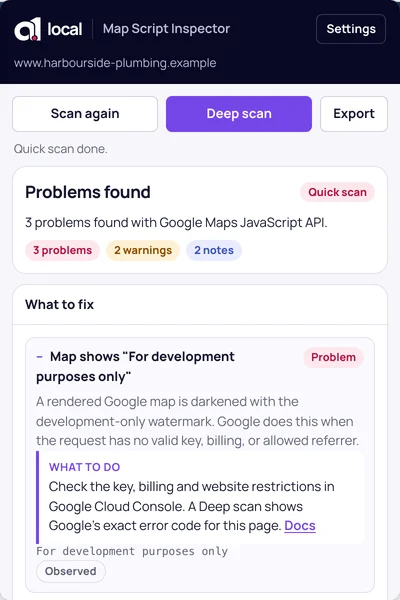
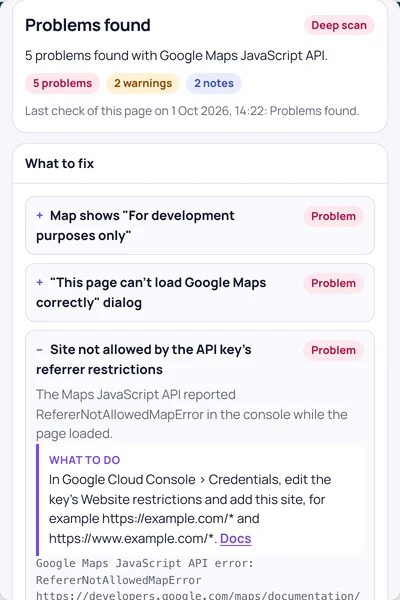
Open it on any page with a map. It finds API key, billing and website-restriction errors, removed features and slow loading, then tells you what to change. Deep scan catches the errors Google only prints to the browser console.
Open it on a page with a map. It lists every map, the provider behind it and what’s stopping it from working: a missing or placeholder API key, billing, website restrictions, a disabled API or a retired client ID. Each problem comes with the next step and a link to the documentation.
02 / Deep scan
Catch the errors only the console shows.
Google prints the exact error, such as RefererNotAllowedMapError, to the browser console, not the page. Deep scan reloads the page once with a recorder running and catches map errors, blocked scripts and failed key checks. Chrome asks for your OK the first time on each site.
03 / Any map provider
Google Maps, Mapbox, Leaflet and more.
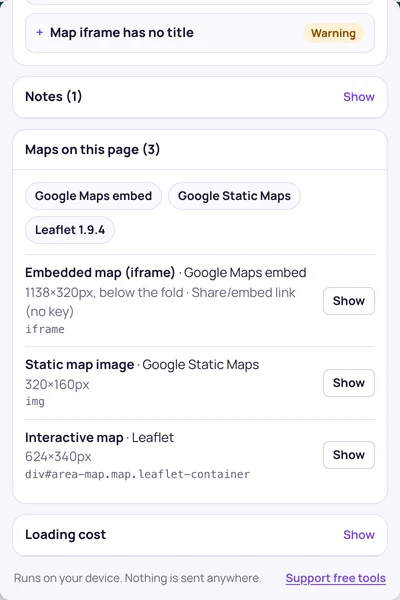
It recognises Google Maps (scripts, embeds and static maps), Mapbox, MapLibre, Leaflet, OpenLayers, Apple MapKit, ArcGIS, HERE, Bing, Azure Maps and TomTom. Each map is listed with its size and position, and Show highlights it on the page.
More checks
Also in the popup.
Removed and deprecated features
Flags the removed Drawing and Heatmap libraries, retired versions, legacy markers and Places Autocomplete, and the Bing Maps for Enterprise shutdown.
Loading cost
Render-blocking map scripts, a missing loading=async, map iframes below the fold that aren’t lazy-loaded, and how many map requests the page makes.
Accessibility
Map iframes without a title, which screen readers announce as an unnamed frame.
Exposed tokens
Mapbox secret tokens left in page code, which anyone can copy.
Client-ready reports
Copy a Markdown report or plain text, or download JSON.
Saved scans
Recent scans stay in your browser for before-and-after checks on client sites.
Getting started
How to use it.
It works on any website, including your clients’ and your competitors’.
01
Add it to Chrome
Then pin it from Chrome’s puzzle-piece menu so the icon stays in your toolbar.
02
Click it on a page with a map
The popup checks the page straight away. Press Alt+Shift+M to open it from the keyboard.
03
Fix it, or send the report
Follow the steps for each problem, or copy a Markdown report for whoever looks after the site.
It runs in your browser.
Every check runs on your computer. Page content, API keys, results and saved scans stay on your device and aren’t sent to A1 Local or anyone else. No account, no tracking. Read the extension privacy policy.
Common questions
Is it free?
Yes. No account, no trial and no paid tier. It’s a free tool from A1 Local, like the others on this site.
Does it send my website’s data anywhere?
No. Every check runs in your browser. Page content, API keys, results and saved scans stay on your device. Keys are redacted before they’re shown or copied.
Why does my Google map say “For development purposes only”?
Google darkens the map like that when the key, billing or website restrictions are wrong. Run a Deep scan to see the exact error Google reports for your page, then follow the fix shown for it.
What does Deep scan need permission for?
To record console errors from the moment the page starts loading, it needs access to that one site while it reloads the page. Chrome asks the first time you use it on each site, and you can remove that access in the extension’s settings.
Can it check my API key with Google?
No. It reports what it can see on the page and in the console. It can’t log in to Google Cloud or test a key directly.
Which browsers does it work in?
Google Chrome, installed from the Chrome Web Store.